Time and phase alignment plugin for Pro Tools · macOS
Two mics. One timing.
PhaseAlign measures the offset between a reference (the boom, sent to the key input) and a target (the HF or lavalier mic), then realigns the target. Designed to work with RackAudioSuite: placed last in the rack, it realigns the result of your whole cleaning chain.
Clean, chain, realign. In a single render.
Why align
In post-production, the sound of one dialogue reaches several mics (boom, HF or lavalier) at slightly different times. Mixed together, they partly cancel: comb filtering, a hollow or “boxy” sound. PhaseAlign realigns the target to the reference.
What it does
- Time alignment over a ±300 ms range (7 to 9 frames depending on frame rate), with sub-sample precision.
- Whole-clip analysis in AudioSuite: on Render, PhaseAlign analyses the entire clip before processing, and the realignment applies from the first sample.
- Follows changes in the offset along the clip (a moving actor, drift), without noise or delay.
- Polarity detection (automatic inversion when needed), plus a manual invert key.
- Spectral phase alignment, adjustable from 0 to 100%, beyond a simple delay: it brings the two mics closer frequency by frequency.
- Manual fine adjustment of the delay (Manual Trim).
- High-quality fractional delay: no loss in the highs (measured deviation ≤ 0.001 dB up to 20 kHz).
- Safety: a clip with no reliable correlation (noise, missing key input) is not shifted. Region edges get a 5 ms fade, with no gap or dropout. Every render starts from zero, with identical output whatever the block size.
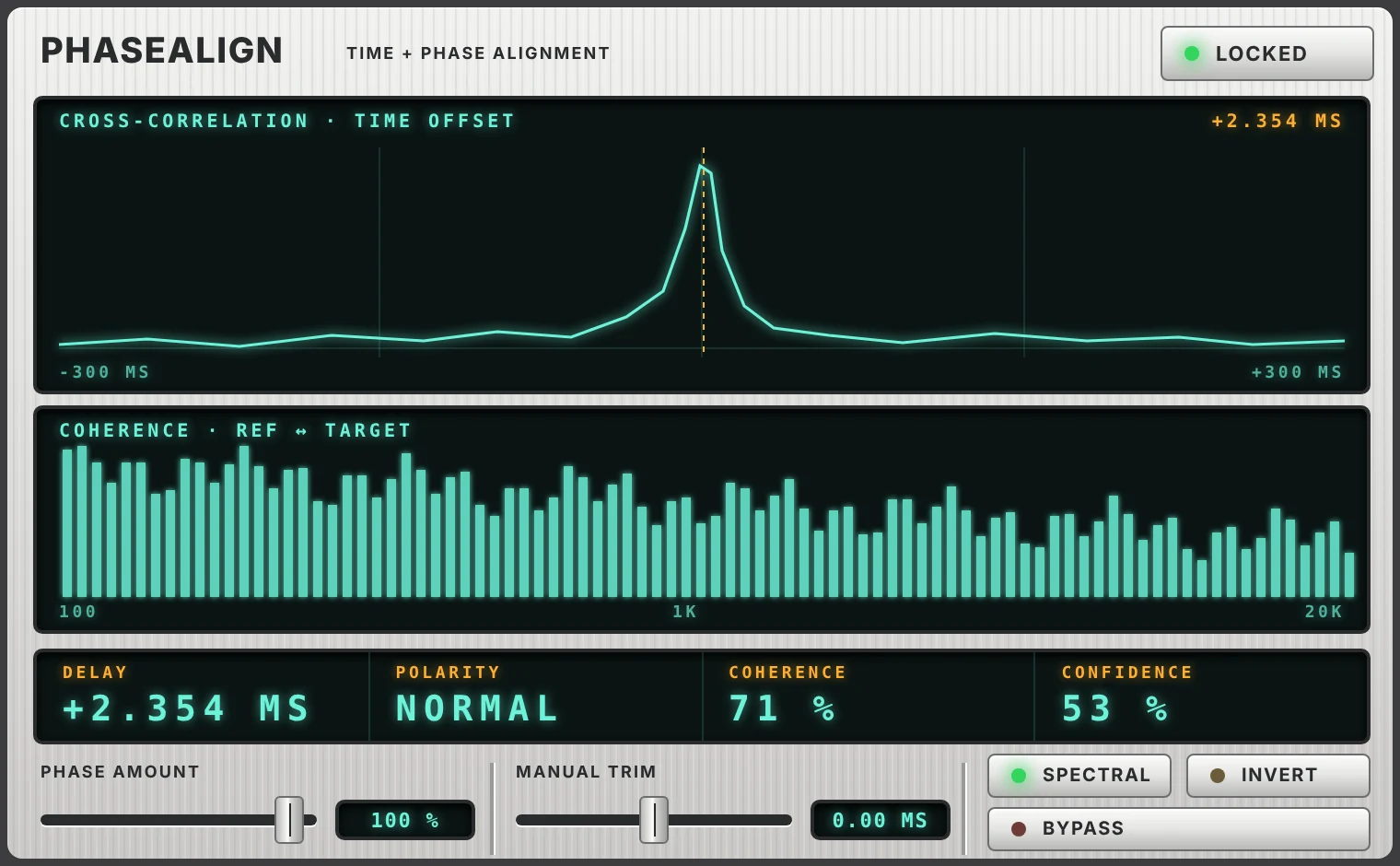
- Displays: after a render, the clip's correlation around the delay found and the per-frequency coherence between the reference and the realigned target, with CONFIDENCE and COHERENCE in percent.
- AAX, VST3, AU and standalone app. macOS, universal Apple Silicon and Intel binary.
Using it on its own in Pro Tools
- Select the target clip (for example the HF mic).
- AudioSuite > PhaseAlign, then choose the reference track (for example the boom) in the Key Input menu of the AudioSuite window.
- Click Render. No preview: the alignment is computed on the whole clip, at render time.
- The displays show the result: delay found, confidence, coherence.
Together: clean, chain, realign
RackAudioSuite (the rack that chains your cleaning plugins into a single AudioSuite render) and PhaseAlign (time and phase alignment between two mics) are designed to work together. In a cleaning chain (denoise, de-click, EQ…), every plugin adds its own latency and small phase shifts. Placed last in RackAudioSuite, PhaseAlign realigns the output of the whole chain to the reference track (the key input), from the very first sample, in a single render. You clean an HF mic and get it back locked to the boom, with no second tool and no second render.
What happens on render
- On Render, RackAudioSuite reads the whole region and runs it once through the plugins placed before PhaseAlign. The result is kept in memory.
- PhaseAlign analyses this cleaned result against the reference, over the whole clip.
- The render replays the stored result (the cleaning plugins do not run twice) and PhaseAlign realigns it from the first sample. The latency and phase shifts added by the chain are caught up.
- In Preview, PhaseAlign is transparent and has no latency: you tune your cleaning chain without waiting. If RackAudioSuite or PhaseAlign is bypassed, nothing is realigned.
Practical points
- Put PhaseAlign last in RackAudioSuite.
- Use the VST3 version of PhaseAlign in RackAudioSuite (not the AU).
- Choose the reference in the Key Input menu of RackAudioSuite's AudioSuite window.
- The render takes a little longer than with RackAudioSuite alone: the clip is analysed before rendering, roughly a fifth of the clip's duration depending on the plugins in the chain.
Download
No iLok key needed.
Coming soon: the download is not open yet.
Questions
Why no preview?
The alignment is computed on the whole clip, at render time, so the right offset applies from the very first sample. A preview does not know the rest of the clip yet. In the rack, PhaseAlign is transparent and has no latency in preview, so you can tune the rest of the chain.
What if the confidence is low?
First check that the reference is selected in the Key Input menu and that both tracks hold the same sound (same dialogue, same moment). A clip with no reliable correlation (noise only, missing key input) is deliberately left unshifted.
Why the VST3 version in the rack?
RackAudioSuite hosts VST3 and AU plugins, not AAX. PhaseAlign is driven by the rack on render in its VST3 version. The AU is not supported for this use.